Every codebase has "Zombie Endpoints"—legacy API routes that you think are unused, but you are too afraid to delete. If you delete the code, you risk taking down a critical integration used by a partner who hasn't updated their SDK in three years.
So the code stays. It rots. It requires maintenance. It becomes a security liability.
The only way to delete legacy code safely is to prove, with data, that zero requests have hit that path in the last 30 or 90 days. LogLens makes this audit trivial by scanning your archived Nginx logs.
1. The "Frequency Analysis" Scan
First, let's identify which paths are being hit. We use quotes around the wildcard pattern "access.log*" to tell LogLens to look at the current log and all the rotated, compressed .gz files in the directory.
# Group ALL traffic by path across 30 days of logs
# Note: We quote the path to let LogLens handle the wildcard expansion
loglens stats group-by "access.log*" \
  --by path \
  --avg body_bytes_sent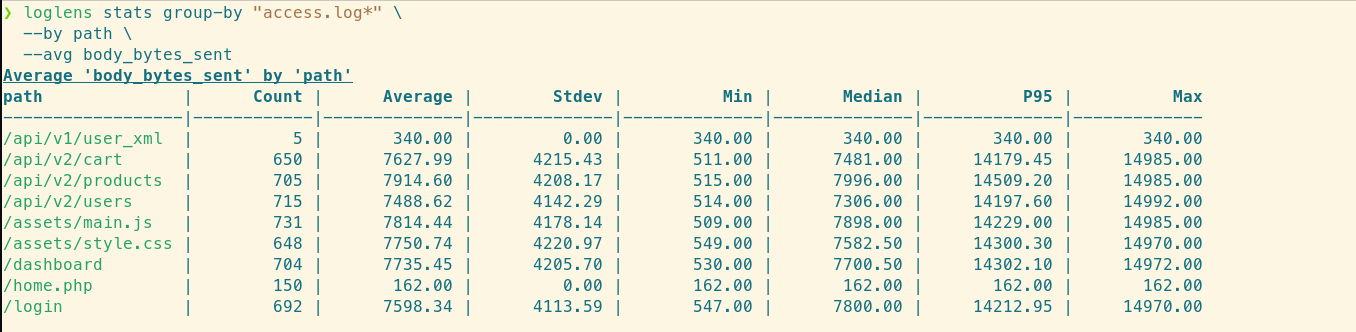
A complete list of "Alive" endpoints. The legacy endpoint /api/v1/user_xml is noticeably absent from the top results.
2. Validating a Specific "Zombie"
Let's say you want to delete /api/v1/user_xml. You need to be 100% sure it's dead.
# Search specifically for the legacy XML endpoint in all files
loglens count "access.log*" \
  'path == "/api/v1/user_xml"'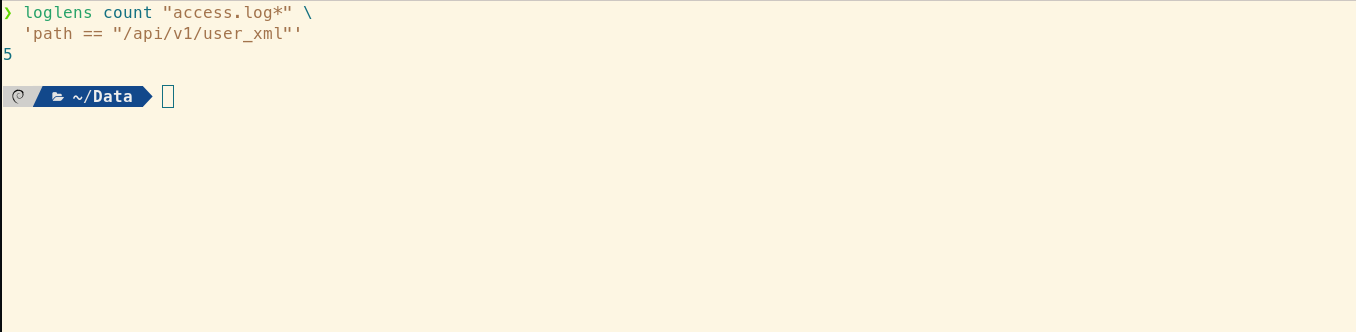
It's not dead yet! We found 5 requests in the historical logs.
If the count is 0, you are safe to delete. But since we found 5 hits, we need to investigate.
3. Identifying the Laggards
You found 5 requests to the legacy endpoint. Now you need to find out who is making them so you can email them.
# Find the IPs and User Agents of the legacy clients
loglens query "access.log*" \
  'path == "/api/v1/user_xml"' \
  --json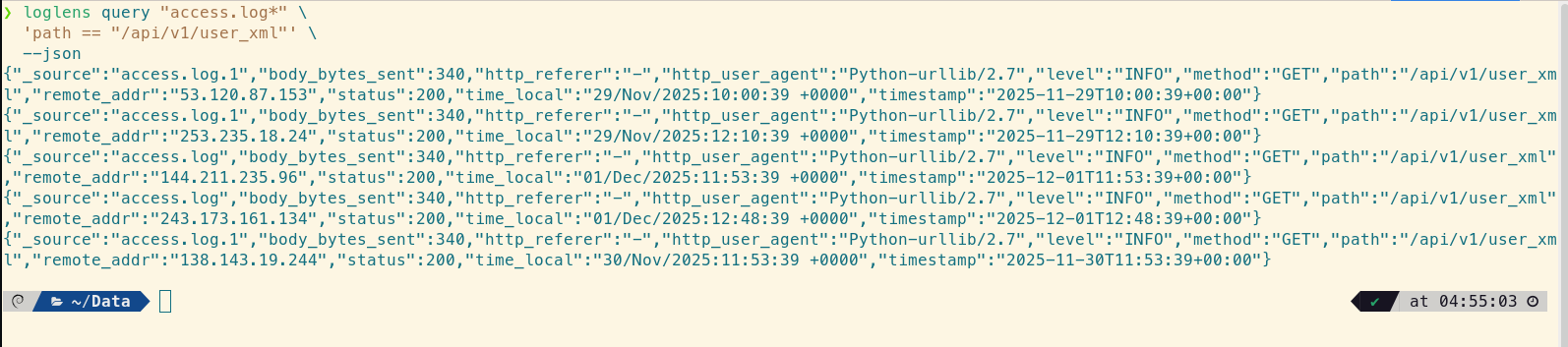
Caught! The requests are coming from an old internal script using "Python-urllib/2.7".
4. Finding "Redirect Loops" and SEO Leaks
Another form of technical debt is broken redirects. If you migrated a page but broke the 301 redirect, your logs will be flooded with 404s for the old URL.
# Find paths generating 404s that SHOULD have been redirected
loglens stats group-by "access.log*" \
  --where 'status == 404' \
  --by path \
  --avg body_bytes_sent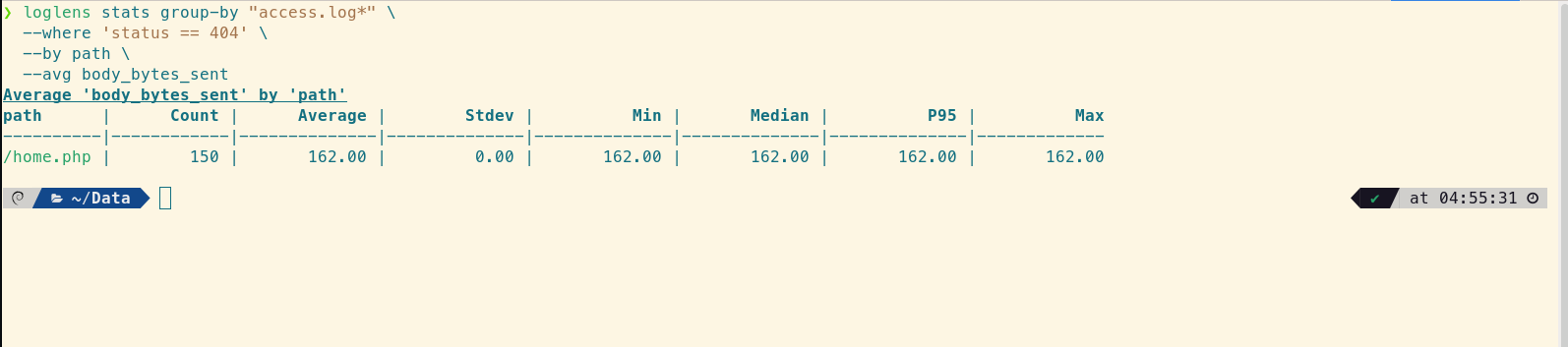
Your old homepage URL /home.php is generating the most 404s. Your Nginx rewrite rules are broken.
Summary
Don't rely on gut feelings or "I haven't seen it used lately" when refactoring code. Nginx logs are the ultimate source of truth.
- Use Wildcards (
"*.gz") to scan history. - Use Count to prove an endpoint is dead.
- Use Query to identify who is holding up the migration.