Cloud logging platforms are powerful, but they come with a catch: an eye-watering price tag. To stay within budget, engineering teams face a painful choice. Do you pay a premium to keep all your logs "hot" and searchable? Or do you archive them to cheap "cold" storage like Amazon S3, sacrificing instant access when you need it most?
This dilemma forces a trade-off between cost and speed. But what if you could have the best of both worlds? What if you could use ultra-cheap cloud storage for your archives and still perform blazingly fast, interactive analysis when a bug strikes? This is the workflow that LogLens unlocks.
[Image of cloud storage cost comparison chart]The Problem: Why Cloud Logging Costs Explode
Let's talk numbers. Storing 1TB of logs for a month can have drastically different costs:
- In a typical Logging SaaS Platform: The cost is primarily for ingestion and indexing. This could easily run you $2,000 - $3,000+ per month. "Rehydrating" logs from their archives for analysis often incurs additional fees.
- In Amazon S3 Glacier Instant Retrieval: The same 1TB of storage costs about $4 per month. That's not a typo.
The cost is over 500 times lower. The only problem? Analyzing a gzipped file from S3 is a pain. The traditional workflow is slow, clunky, and eats up your local disk space.
The Old, Slow Way:
# 1. Download the massive file from the cloud
aws s3 cp s3://my-log-archive/prod-api-2025-09-23.log.gz .

# 2. Decompress it (and wait... and hope you have enough disk space)
gunzip prod-api-2025-09-23.log.gz

# 3. Finally, start trying to figure out what's wrong with `less` or `grep`
less prod-api-2025-09-23.log
The Solution: The S3 + LogLens Workflow
LogLens completely changes the game by automating the analysis of compressed files. Instead of manual steps, its interactive TUI handles decompression seamlessly. When you point it at a .gz file, LogLens unpacks it behind the scenes, dropping you directly into a powerful, interactive log viewer. It’s a single command to go from a compressed archive to a deep investigation—no manual `gunzip` required.
The New, Fast Way:
# 1. Download the massive file from the cloud
aws s3 cp s3://my-log-archive/prod-api-2025-09-23.log.gz .

# 2. Analyze it. Instantly.
loglens tui prod-api-2025-09-23.log.gz
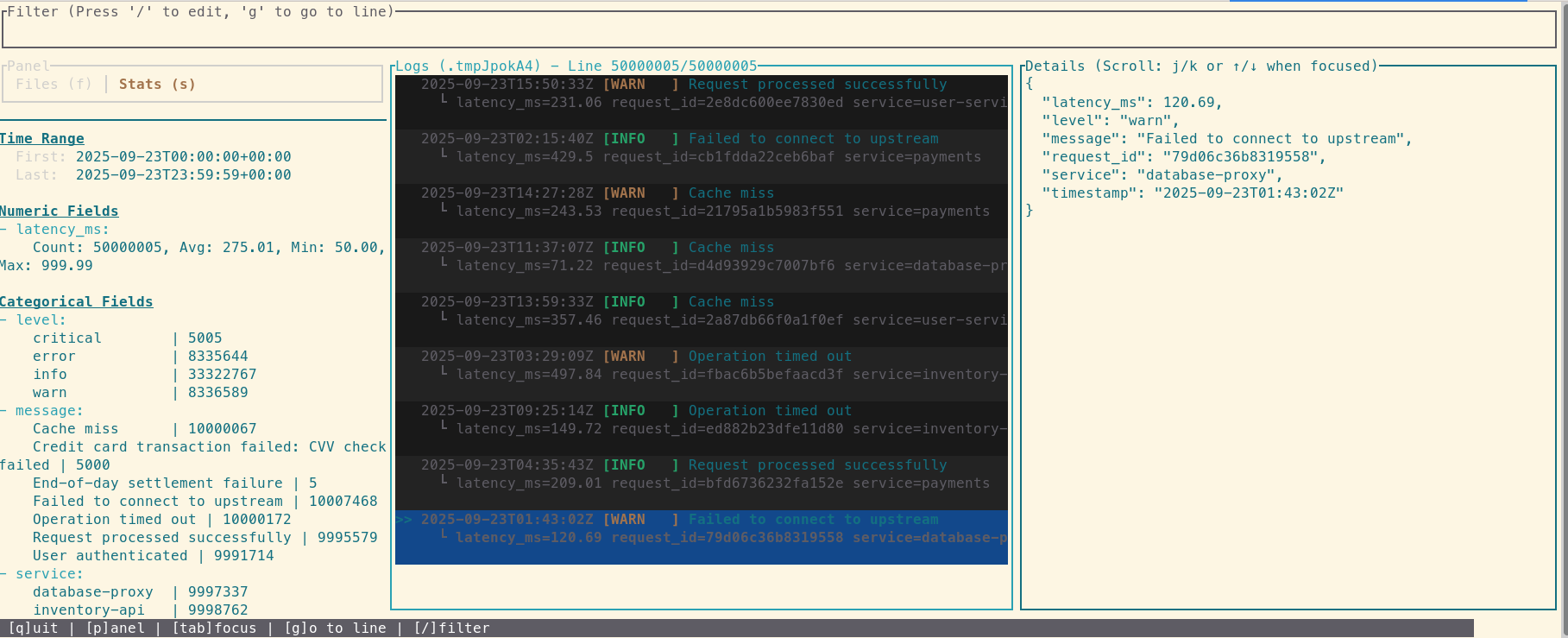
That's it. One command and you're inside a powerful log viewer, filtering and searching through gigabytes of data without lag. You just turned your $4/TB cold storage into a high-performance investigative tool.
Closing the Loop: From Insight to Action in Three Steps
The workflow doesn't stop at analysis. Let's say you use the TUI to pinpoint a series of critical errors. You need to share just those 50 lines with a colleague.
Step 1: Extract the Relevant Logs
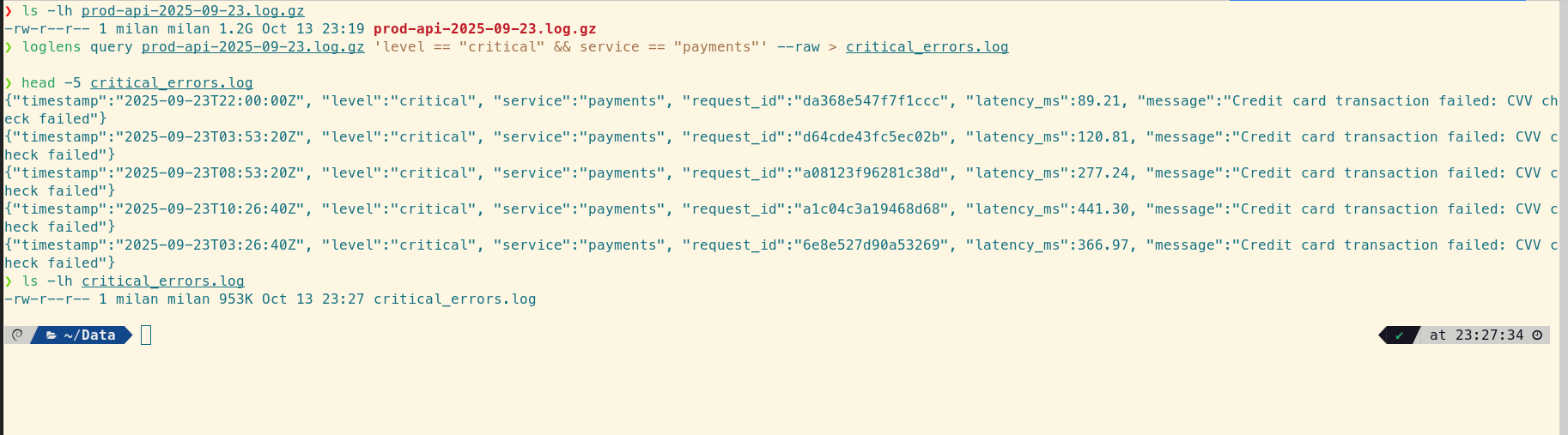
Use the powerful `query` command to filter the original compressed file and save the raw results to a new, smaller file.
loglens query prod-api-2025-09-23.log.gz \
    'level == "critical" && service == "payments"' --raw > critical_errors.log
Step 2: Compress and Share
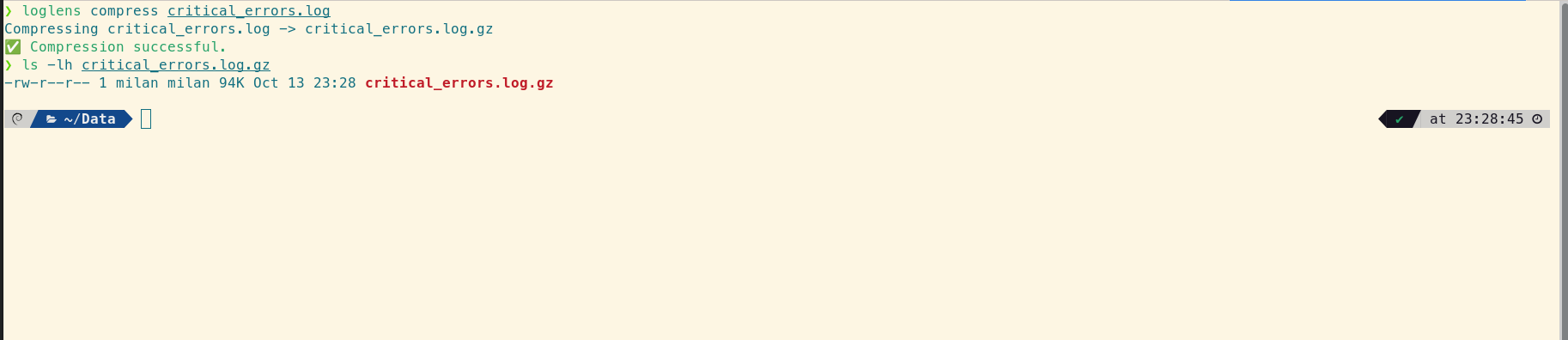
Now use the `compress` utility to zip up your findings before attaching them to a Jira ticket or sending them over Slack. It's fast and automatically cleans up the original.
# This creates critical_errors.log.gz and removes the original
loglens compress critical_errors.log
A Strategic Advantage for Your Bottom Line
By combining cheap cloud archival with LogLens's powerful local analysis, you change the economics of logging. You're no longer forced to choose between cost and accessibility. This workflow saves you thousands of dollars in cloud bills and hours of valuable developer time during critical incidents.
Frequently Asked Questions
Why is log analysis from S3 traditionally so difficult?
The main hurdles are file size and compression. Downloading multi-gigabyte files is slow, and decompressing them with tools like `gunzip` takes a long time and requires significant free disk space. LogLens solves this by streaming the decompression, allowing for instant analysis without creating a huge temporary file.
Does LogLens load the entire decompressed file into memory?
No, LogLens is designed to be memory-efficient. When you open a file in the TUI, it creates an index of line locations and only reads and parses the lines currently visible on the screen, allowing it to handle files much larger than available RAM.
Can I use this workflow with Google Cloud Storage or Azure Blob Storage?
Absolutely. The principle is the same. As long as you can download the compressed log archive to your local machine (or a dev server), you can use LogLens to analyze it instantly. The workflow is cloud-agnostic.